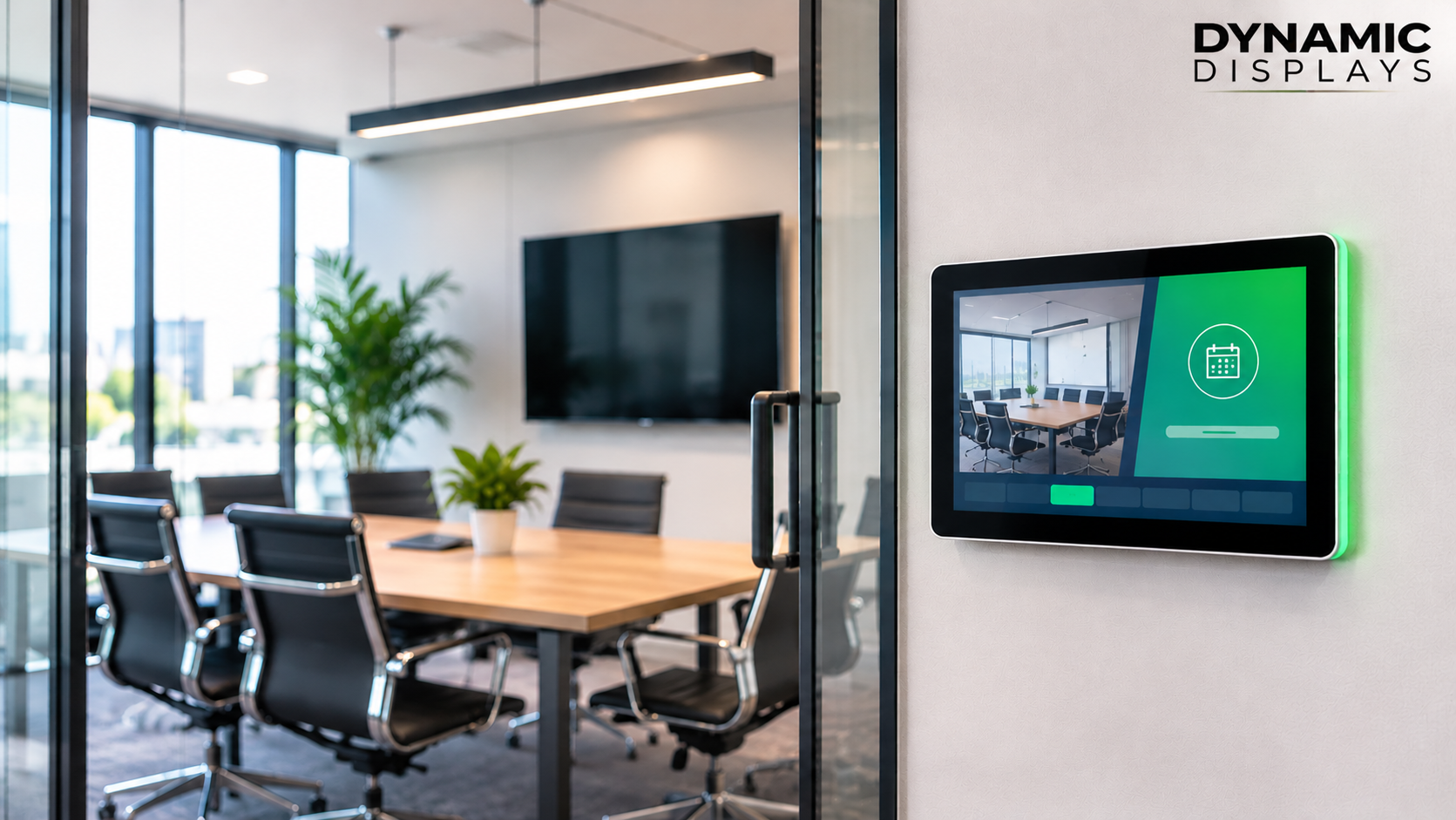
Meeting Room Booking Displays NZ
Meeting room booking displays show, at the door, whether a room is free, who has it and when it becomes available. They remove the daily argument over double-booked rooms and save people from walking in on a meeting. Dynamic Displays supplies and installs room booking screens, door panels and schedule displays for offices, schools, councils and shared workspaces across New Zealand.
This page covers how booking displays work, which type suits your building and what to check before you buy. They sit alongside our meeting room displays and video conferencing solutions, so one supplier can plan the whole room.
How Meeting Room Booking Displays Work
A booking display is a small touch screen or panel mounted beside the room door. It connects to your calendar system, such as Microsoft 365 or Google Workspace, and shows the live status of the room. A colour band, usually green for free and red for busy, makes the status visible from across a corridor.
Most systems let people book the room on the spot by tapping the screen, extend a meeting that is running over or end one early to release the space. Because the display reads from the same calendar your staff already use, there is no separate system to learn.
Types of Room Booking Panels
There are several ways to deliver a room booking display, and the right one depends on the number of rooms, your calendar platform and your budget.
|
Type |
Best for |
Things to check |
|
Dedicated booking panel |
Offices with many rooms and a standard calendar |
Calendar integration and power or network points |
|
Tablet with booking software |
Small sites and flexible setups |
Secure mounting and software licence terms |
|
Door-mounted commercial display |
Larger status screens with agenda details |
Brightness, size and a commercial display rating for daily use |
|
Lobby overview screen |
Showing all rooms and their status in reception |
Content layout and links to your indoor signage |
Tablet-based systems are common because the hardware is familiar, but a tablet left in a public corridor needs a locked enclosure and a managed power supply. A purpose-built panel avoids those issues and is simpler to maintain across many rooms.
Meeting Room Booking Software and Apps
The software decides how well the display works day to day. Look for calendar integration with your existing platform, one-touch booking, an option to release rooms when nobody checks in, and a simple admin view for adding or renaming rooms. Some systems also report room use, which helps you see which spaces are rarely used and which are always full.
Ask whether the software is a subscription per room or a one-off licence, and what happens to the display if the internet drops. We confirm these terms in the quote so there are no surprises later.
Where Room Booking Displays Help Most
- Offices with shared meeting rooms where bookings often clash.
- Schools and training centres that need clear room schedules for classes.
- Council and healthcare buildings with many rooms used by different teams.
- Co-working spaces where rooms are booked by external clients.
Conference room meeting schedule displays also help visitors. A screen at reception can show which meeting is in which room, so guests are directed without staff leaving their desks.
Planning Your Installation
Placement matters. Mount the panel at a comfortable height beside the door, on the latch side, with a clear view from the corridor. Check that a power point or power-over-ethernet connection is available, because running cabling after the wall is finished costs more than planning it early.
Our team surveys the site, advises on mounting and cabling, installs the displays and tests the calendar link before handover. The same process used in our digital signage installation work applies to booking screens.
How to Choose a Room Booking System
- Count the rooms and note which calendar platform you use.
- Decide whether you need booking on the screen or status display only.
- Choose a panel or tablet approach based on how many rooms you have.
- Confirm power, network and mounting at each door.
- Ask for itemised hardware, software and installation costs.
Get a Quote for Booking Displays
Send us the number of rooms and the calendar system you use, and we will recommend a suitable setup. To request a quote, contact Dynamic Displays and we will arrange a site visit. You can also explore our wider display solutions or the interactive smart boards used in meeting spaces.
Frequently Asked Questions
What is a meeting room booking display?
It is a screen or panel beside a meeting room door that shows whether the room is free or busy and, in most systems, lets people book the room by touch. It reads from your existing calendar.
Do room booking displays work with Microsoft 365 and Google Calendar?
Most booking systems integrate with both. We confirm compatibility with your calendar platform before recommending a product.
Can I use a tablet as a meeting room booking tablet?
Yes, with booking software, but the tablet needs secure mounting and a managed power supply. Purpose-built panels are simpler to look after across many rooms.
Can a display show room bookings in reception?
Yes. A lobby screen can list all rooms and their status or the day's meeting schedule so visitors know where to go.
Do you install room booking screens across New Zealand?
Yes. We work with businesses across Wellington and Auckland and quote for other New Zealand locations after a site conversation.