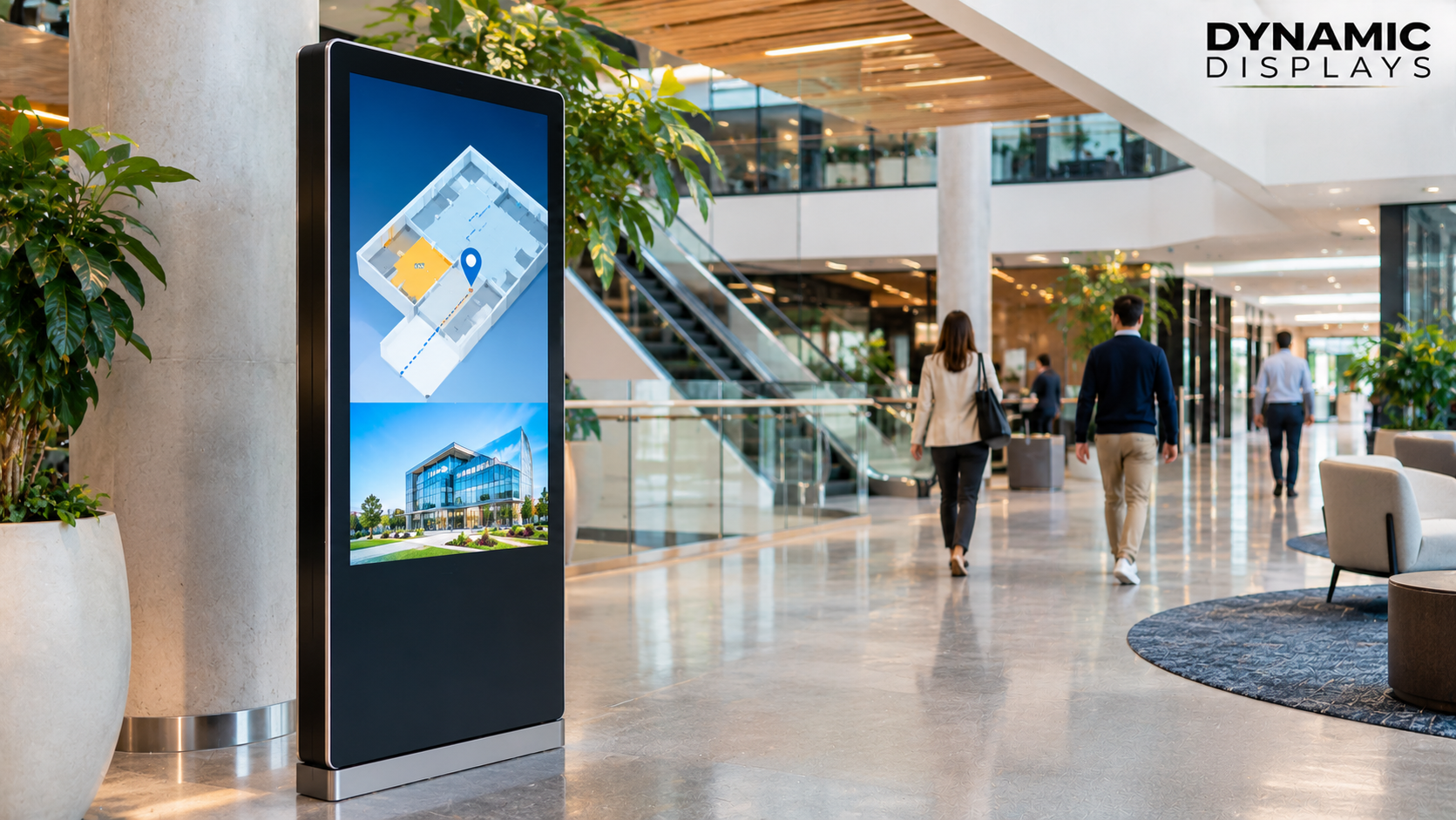
Digital Wayfinding Signage NZ
Digital wayfinding signage helps people find their way through a building without asking for directions. Whether the building is a hospital, a corporate office, a school campus or a shopping centre, clear wayfinding signage shortens the walk, reduces stress and takes pressure off reception. Dynamic Displays supplies and installs digital directories, directional screens and interactive wayfinding displays for sites across New Zealand.
This page explains what digital wayfinding is, where it works best and how to plan a system that stays accurate as your building changes. For related hardware, see our interactive smart boards and indoor signage options.
What Digital Wayfinding Signage Is
Traditional wayfinder signs are printed panels with arrows and room names. They are cheap to make but slow to change, so they go out of date whenever a department moves or a room is renamed. Digital wayfinding replaces or supports them with screens that display directions, floor plans and building directories that can be edited in minutes.
A digital system can show a static directory, a rotating list of rooms and floors, or an interactive map where a visitor taps a destination and sees the route. Content is managed from one place, so a change made once appears on every screen.
Where Wayfinding Signage Works Best
- Hospitals and clinics with many wards, departments and visitor entrances.
- Office buildings with several tenants and changing floor allocations.
- Schools, universities and training campuses with large grounds.
- Retail centres, hotels and event venues where visitors are unfamiliar with the layout.
Hospital wayfinding in particular benefits from clear, readable screens, because visitors are often stressed and in a hurry. Office wayfinding signs help new staff and guests find meeting rooms, and can connect to meeting room booking displays so a room name on the door matches the directory.
Types of Digital Wayfinding Displays
Different spaces need different formats. The table below shows the main options and where each fits.
|
Display type |
Best for |
Things to check |
|
Static directory screen |
Lobbies with a fixed list of tenants or departments |
Easy updates when names change |
|
Interactive touch kiosk |
Large sites where visitors need routes and maps |
Touch quality, accessibility height and software |
|
Directional screen at junctions |
Corridors and decision points |
Mounting height and viewing distance |
|
Wall or door-side room sign |
Room names, availability and schedules |
Readable text and mounting at door height |
Interactive kiosks suit big or complex buildings, while simple directional screens at corridor junctions are often enough for smaller sites. Many buildings use both, with a kiosk in the lobby and screens at key turns.
Wayfinding Signage Design Principles
Good wayfinding signage design is about reducing decisions. Use one consistent set of colours, icons and arrows across the whole building so visitors learn the pattern quickly. Keep text short, use large type, and show the most common destinations first.
- Place signs at every decision point, not only at the entrance.
- Use high contrast between text and background.
- Show the current location on any map, with a clear "you are here" marker.
- Include accessible options, such as screens at a reachable height and clear audio or large text where needed.
Plan interior wayfinding signage with a walk-through of the building from a first-time visitor's point of view. Anywhere that person hesitates is a place that needs a sign.
Keeping Directions Accurate
A wayfinding system fails when it is wrong. Decide who owns the content, how changes are requested and how quickly they are made. Software with templates, user permissions and scheduling helps, and some systems let you show temporary notices such as lift closures or event routes.
Check how the software handles accessibility and multiple languages, which is useful for visitor-heavy sites. If the building plan changes often, choose a system where staff can edit the directory themselves rather than relying on a supplier for each change.
Installation, Safety and Compliance
Wayfinding screens are in public areas, so mounting and cabling must be safe and tidy. Wall fixings should suit the wall type and allow for New Zealand seismic requirements, and kiosks need stable bases and protected cabling. In some buildings, signage placement is also affected by fire egress rules and accessibility requirements, so confirm these with your building manager.
Our team surveys the site, agrees screen positions on a plan, installs the equipment and tests the content before handover. This follows the same process described in our digital signage installation service.
How to Plan a Wayfinding System
- Walk the building as a visitor and mark every decision point.
- List the destinations people ask about most.
- Choose directory, kiosk or directional screens for each location.
- Decide who will update content and how often.
- Request an itemised quote that covers hardware, software and installation.
Request a Quote for Wayfinding Signage
Send us a floor plan or describe your site, and we will suggest screen positions and display types. To start planning, contact Dynamic Displays for a site visit and quote. You can also browse our wider signage solutions for commercial and public buildings.
Frequently Asked Questions
What is digital wayfinding signage?
It is a screen-based directory or map system that shows directions, room names and floor plans. Content can be edited from one place, so changes appear on every screen straight away.
Is digital wayfinding better than printed wayfinder signs?
Digital signs are easier to update and can show maps or routes, while printed signs cost less for fixed information. Many buildings use a mix of both.
Do hospitals use digital wayfinding?
Yes. Hospitals and clinics use directories and directional screens to help visitors find wards and departments. Clear text and accessible placement are important in these settings.
Can wayfinding screens be interactive?
Yes. Interactive touch kiosks let visitors choose a destination and see a route. They suit large or complex buildings.
Do you install wayfinding signage across New Zealand?
Yes. We work with businesses across Wellington and Auckland and quote for other New Zealand locations after a site conversation.